Quppy Crypto
Move between crypto, EUR and GBP.
Hold, receive, send and exchange supported digital assets in one Quppy app—connected to the EUR and GBP balances and crypto-friendly multicurrency IBAN available through Quppy Personal.
BTC, ETH, TRX and USDC are available in supported markets. USDT is available outside the EEA only. SOL and additional Solana network support are coming soon.
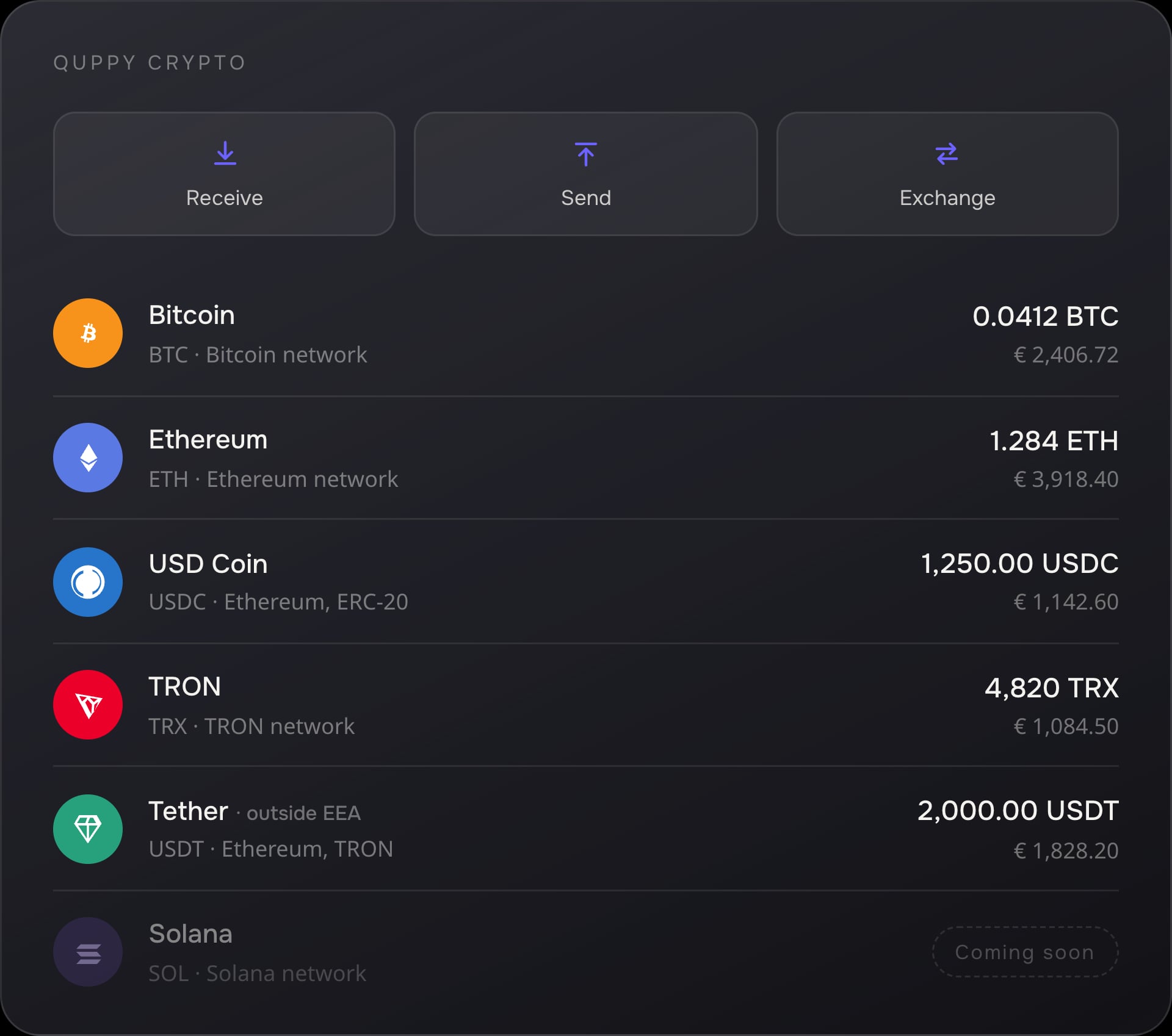
- External wallet transfers
- Crypto-to-crypto exchange
- EUR and GBP connection
- MiCA-authorised provider in the EEA
Crypto services are subject to eligibility, country availability, provider terms and regulatory requirements. Crypto-assets involve risk and may lose value.
What is Quppy Crypto?
Quppy Crypto is the custodial wallet and exchange inside the Quppy financial super app. Eligible users can receive, hold, send and exchange supported crypto-assets, move funds to and from compatible external wallets and connect crypto with the EUR and GBP functionality available through Quppy Personal.
In the EEA, applicable custody, exchange and crypto-transfer services are provided by Payhound Limited, a Crypto-Asset Service Provider authorised under MiCA by the Malta Financial Services Authority. Outside the EEA, the applicable licensed or registered provider depends on the user’s jurisdiction.
Quppy provides the technology and connected user experience. The applicable provider performs regulated custody, exchange and transfer services under its own terms and regulatory permissions.
Why Quppy Crypto
Why use Quppy Crypto?
- 01
Crypto and everyday money stay connected
Move between supported crypto-assets and the EUR or GBP functionality available through Quppy Personal. After conversion, use supported EUR and GBP fiat transfers with no Quppy transfer fee.
- 02
Move crypto in and out
Receive supported assets from compatible external wallets and send them to compatible external addresses when you need to move between platforms.
- 03
Hold and exchange in one experience
View supported balances, receive or send crypto and exchange available pairs through one connected custodial interface.
- 04
European regulatory transparency
Eligible EEA users access applicable custody, exchange and crypto-transfer services through Payhound Limited, a MiCA-authorised provider regulated by the MFSA.



Free applies to Quppy’s supported fiat transfer fee. Crypto exchange, currency exchange, blockchain network and third-party costs are separate where applicable.
Exchange
Check your rate in Quppy
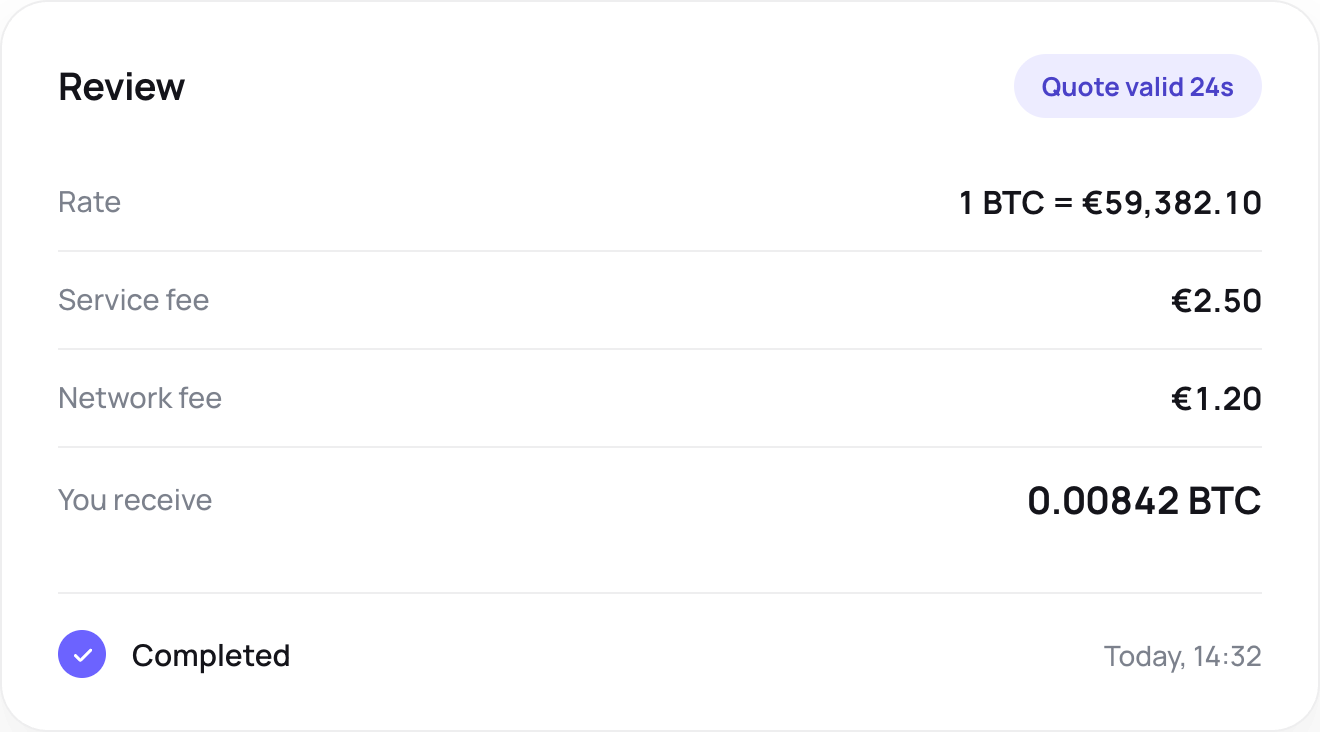
Choose the direction you need and open the matching Quppy exchange flow. Before you confirm, Quppy shows the applicable rate, estimated amount you will receive and any costs associated with the operation.
EUR or GBP to crypto
Use an available EUR or GBP balance to exchange into a supported crypto-asset.
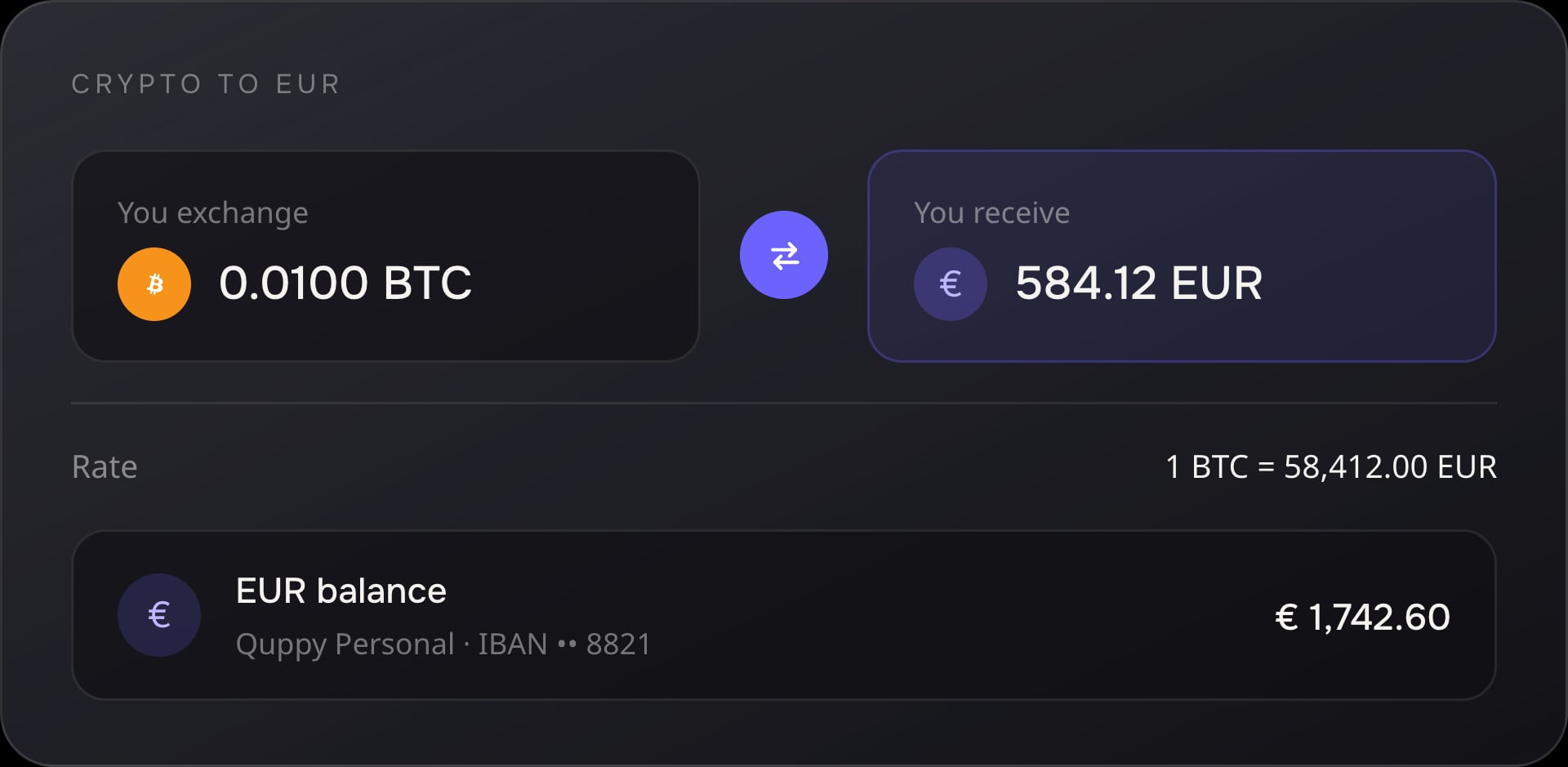
Crypto to EUR or GBP
Convert a supported crypto-asset into an available EUR or GBP balance.
Crypto to crypto
Exchange one supported digital asset for another where the pair is available.
Rates and transaction details can change before confirmation. The final rate, applicable costs and amount received are displayed in Quppy before you approve the operation. External blockchain transfers may require a network cost.
Demo data1 BTC = €58,420.15
Preview only. The figures are sample data, not market rates.
From crypto to everyday money—without switching between unrelated apps
Use Quppy Crypto together with Quppy Personal to complete practical money journeys across digital assets, EUR and GBP.
Receive crypto and move into EUR
Receive a supported asset from an external wallet, hold it in Quppy, exchange it into EUR and continue with the supported fiat services available through Quppy Personal.
External wallet → Quppy Crypto → crypto-to-EUR exchange → Quppy Personal EUR balance
Use GBP to access crypto
Use an available GBP balance to exchange into a supported crypto-asset and convert eligible assets back into GBP when needed.
Quppy Personal GBP balance ↔ supported crypto-asset
Move crypto between platforms
Receive a supported asset from another wallet or crypto platform, manage or exchange it through Quppy and send it to a compatible external destination.
External platform → Quppy Crypto → hold or exchange → external wallet
Supported assets
Supported crypto-assets and networks
Choose the asset and blockchain network supported for your account. Availability can differ by country, provider and regulatory jurisdiction. Always select the same network on both sides of a transaction.
| Asset | Network | Status | Regional availability |
|---|---|---|---|
 BTC BTC | Bitcoin | Available | Subject to country and provider availability |
 ETH ETH | Ethereum | Available | Subject to country and provider availability |
 TRX TRX | TRON | Available | Subject to country and provider availability |
 USDC USDC | Ethereum, ERC-20 | Available | EEA-inclusive; subject to country/provider availability |
| USDC | Solana | Coming soon | Launch markets to be confirmed |
 USDT USDT | Ethereum, ERC-20 | Available | Outside EEA only |
| USDT | TRON, TRC-20 | Available | Outside EEA only |
| USDT | Solana | Coming soon | Outside EEA only |
 SOL SOL | Solana | Coming soon | Launch markets to be confirmed |
Assets, networks and regional availability
- BTCAvailable
- Network
- Bitcoin
- Regional availability
- Subject to country and provider availability
- ETHAvailable
- Network
- Ethereum
- Regional availability
- Subject to country and provider availability
- TRXAvailable
- Network
- TRON
- Regional availability
- Subject to country and provider availability
- USDCAvailable
- Network
- Ethereum, ERC-20
- Regional availability
- EEA-inclusive; subject to country/provider availability
- USDCComing soon
- Network
- Solana
- Regional availability
- Launch markets to be confirmed
- USDTAvailable
- Network
- Ethereum, ERC-20
- Regional availability
- Outside EEA only
- USDTAvailable
- Network
- TRON, TRC-20
- Regional availability
- Outside EEA only
- USDTComing soon
- Network
- Solana
- Regional availability
- Outside EEA only
- SOLComing soon
- Network
- Solana
- Regional availability
- Launch markets to be confirmed
USDT is not available through Quppy to users in the EEA. Supported stablecoins and networks vary by country, regulatory jurisdiction and crypto-service provider.
Sending an asset through an unsupported or incorrect network may result in permanent loss. Check the asset, network and destination before confirming.
Bitcoin
Hold, receive, send and exchange BTC where available through the Bitcoin network.
Ethereum
Hold, receive, send and exchange ETH where available through the Ethereum network.
TRON
Hold, receive, send and exchange TRX where available through the TRON network.
USD Coin
Use USDC through the Ethereum network where available. USDC on Solana is coming soon.
Tether outside the EEA
USDT on Ethereum and TRON is available only outside the EEA, subject to country and provider availability. USDT on Solana is coming soon outside the EEA.
Solana support coming soon
SOL, USDC on Solana and USDT on Solana outside the EEA are planned for the next stage of Quppy’s crypto network support. Launch countries and transaction types will be confirmed before release.
Move crypto in and out when you need to
Use compatible external wallets and crypto platforms with the supported assets and networks available for your Quppy account.
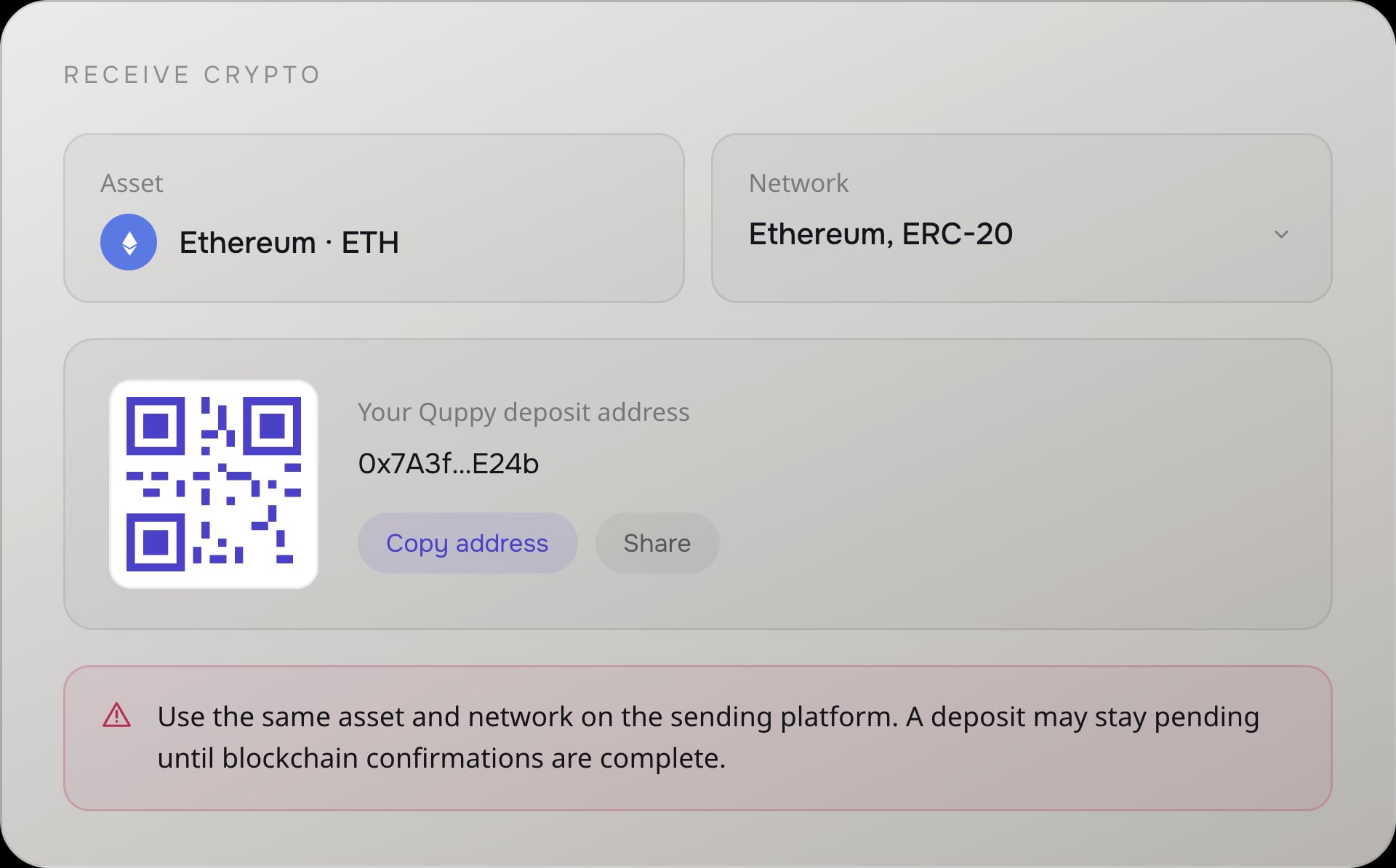
Receive crypto from an external wallet
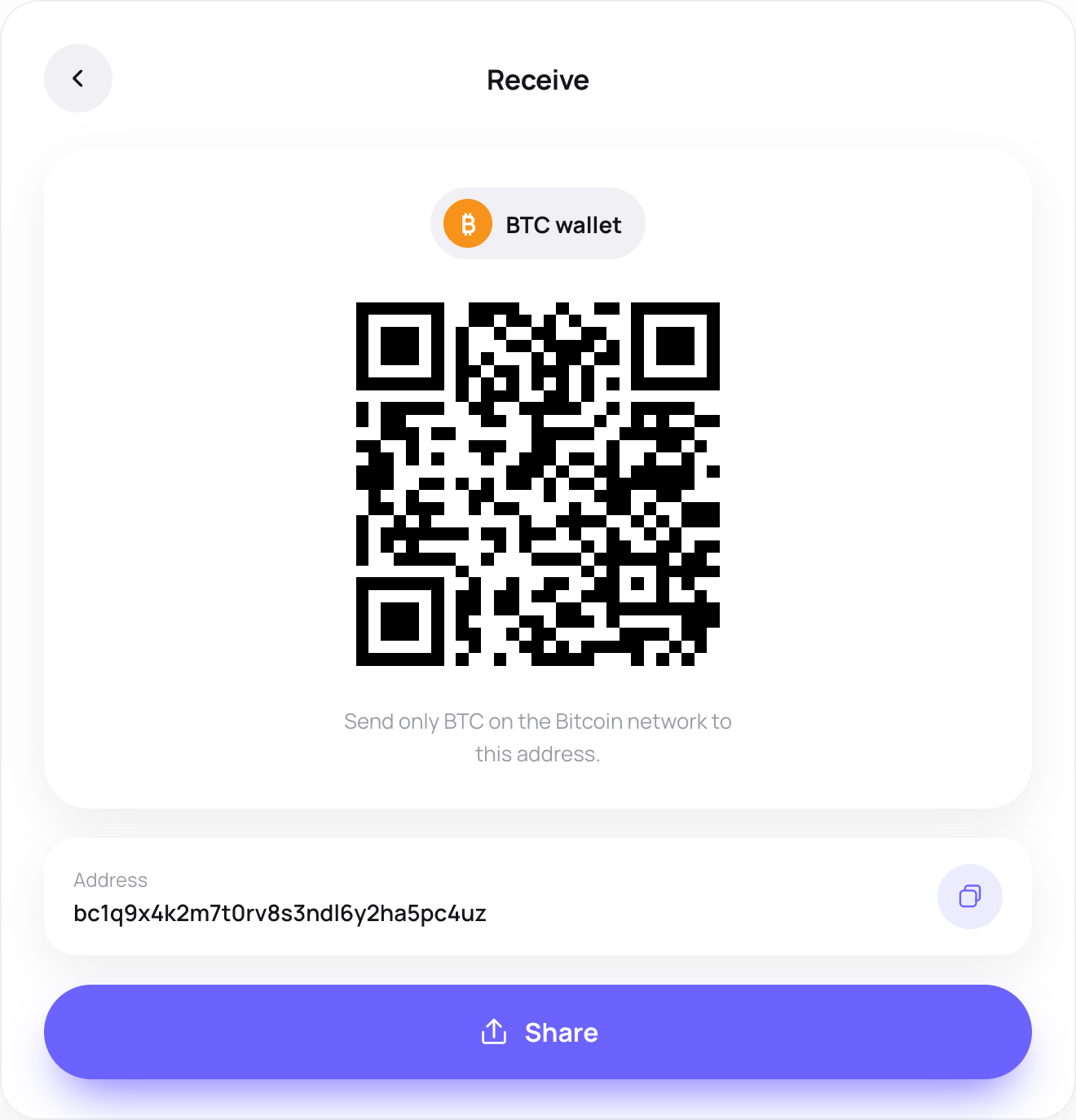
Select the asset and supported network in Quppy, copy the destination details and use the same network when sending from the external platform. A deposit may remain pending until blockchain confirmations and any applicable compliance review are complete.
- 01Choose the asset.
- 02Select a supported network.
- 03Copy the Quppy deposit details.
- 04Use the same asset and network on the sending platform.
- 05Review any memo or reference.
- 06Track the transaction status in Quppy.
Send crypto to an external wallet
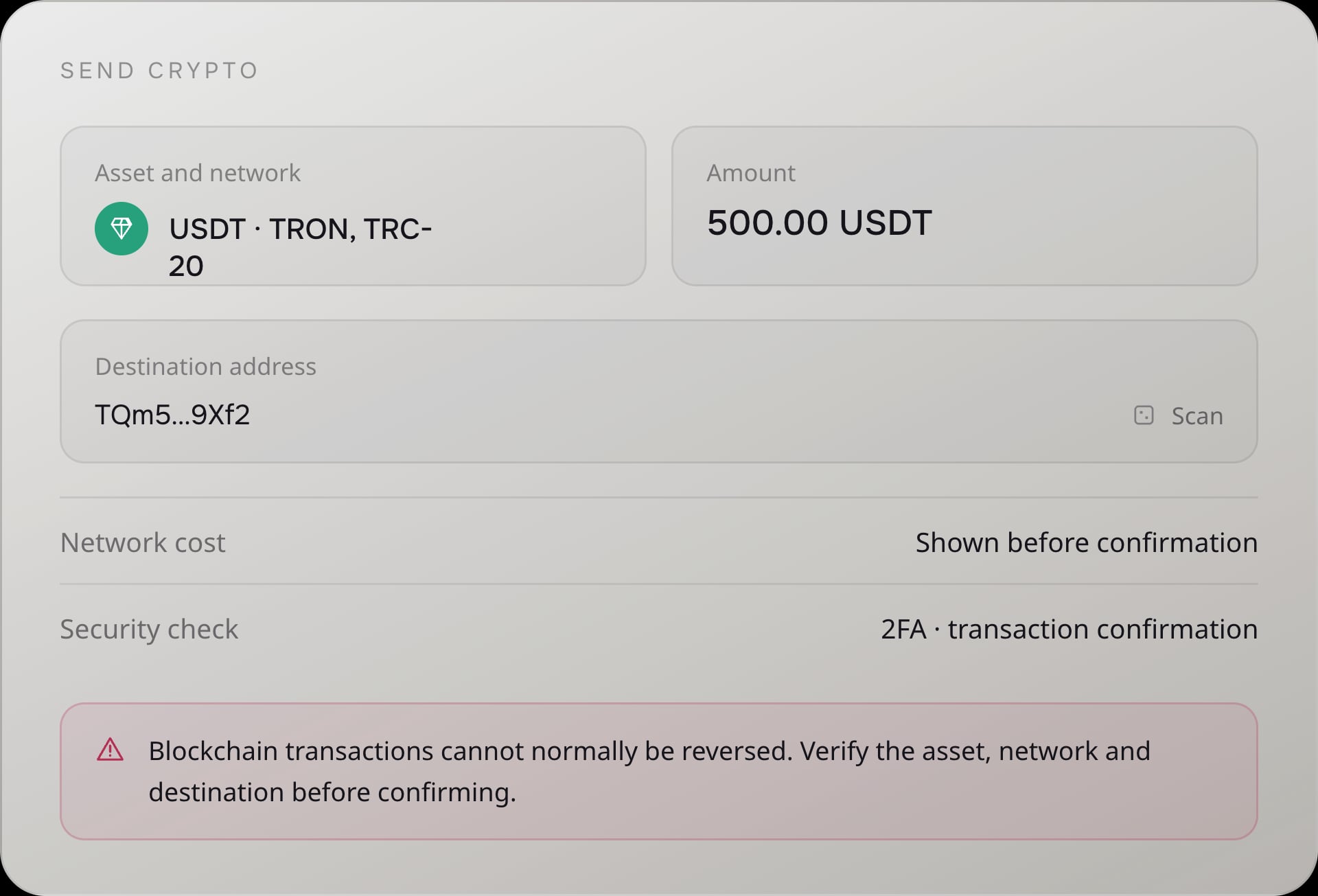
Choose the asset and network, enter the compatible destination details, review the transaction and complete the required confirmation steps. External transfers may be reviewed for security, compliance and Travel Rule requirements.
- 01Choose the asset and supported network.
- 02Enter or scan the destination address.
- 03Confirm the destination type or provider when requested.
- 04Review the amount and transaction details.
- 05Complete transaction confirmation and any additional security check.
- 06Track the status in Quppy.
Blockchain transactions cannot normally be reversed. Always verify the asset, network and destination address before confirming. Recovery may not be possible.
Connected exchange
Exchange supported crypto-assets and fiat balances
Exchange crypto for crypto
Exchange one supported crypto-asset for another without leaving the Quppy experience. Available pairs depend on your country, provider, account configuration and current service availability.
Move between crypto, EUR and GBP
Use supported EUR or GBP balances with separate crypto exchange services. Eligible users can exchange available fiat balances for crypto and convert supported crypto-assets back into EUR or GBP.
Visible directions
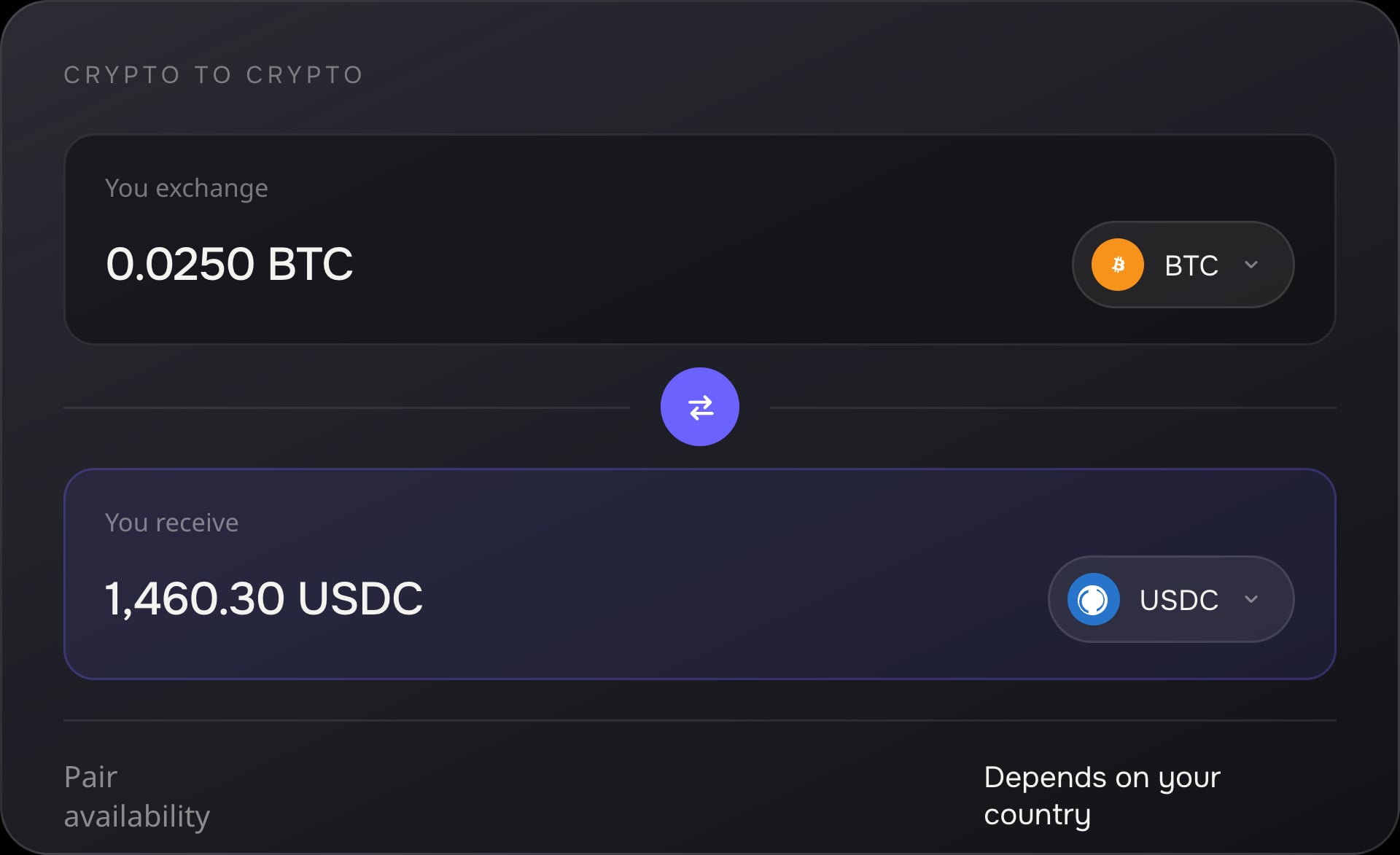
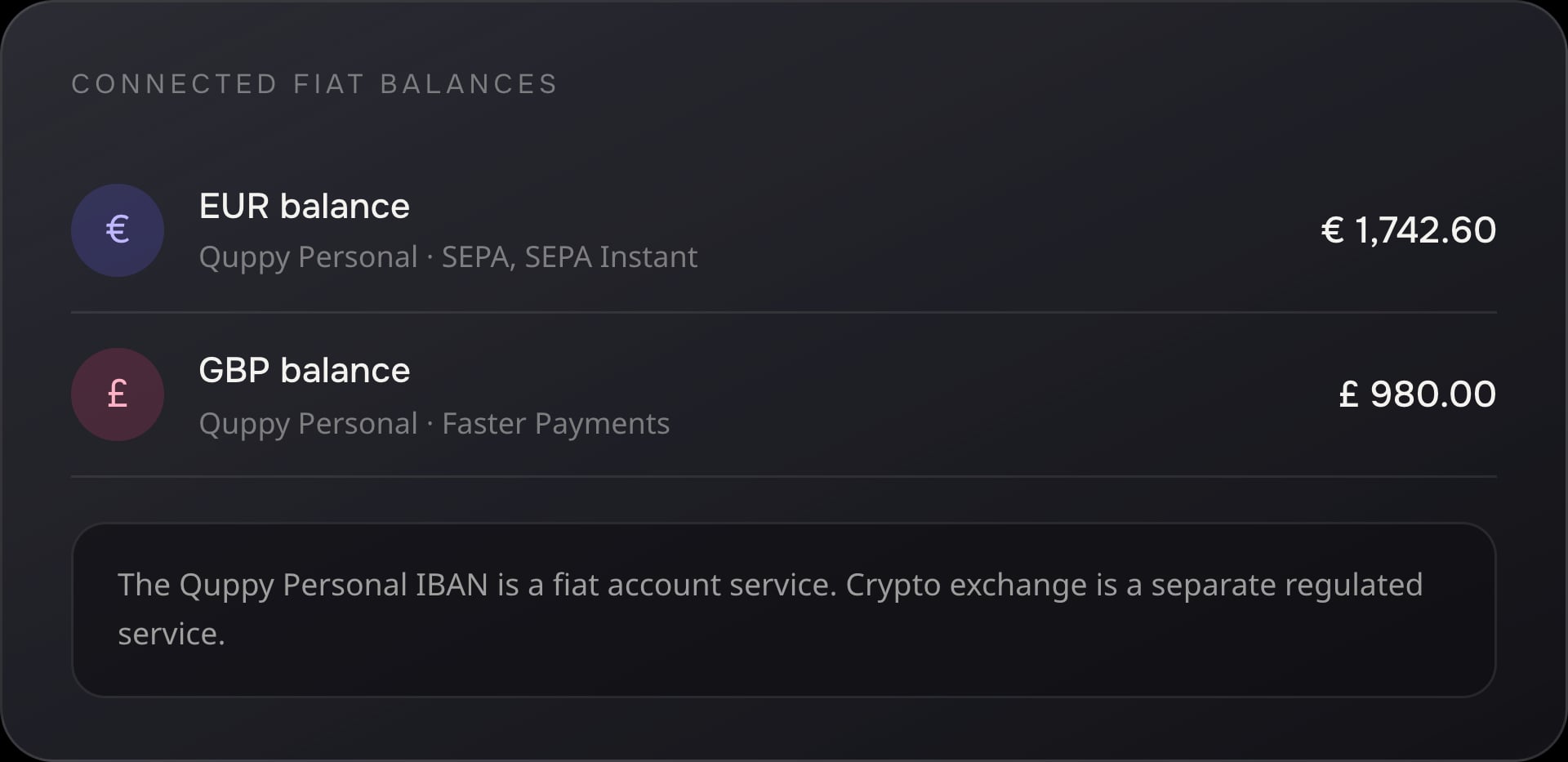
The Quppy Personal IBAN is a fiat account service. Crypto exchange is a separate regulated service with its own provider, terms, rates, costs, limits and eligibility requirements.
How Quppy Crypto works
Activate and verify
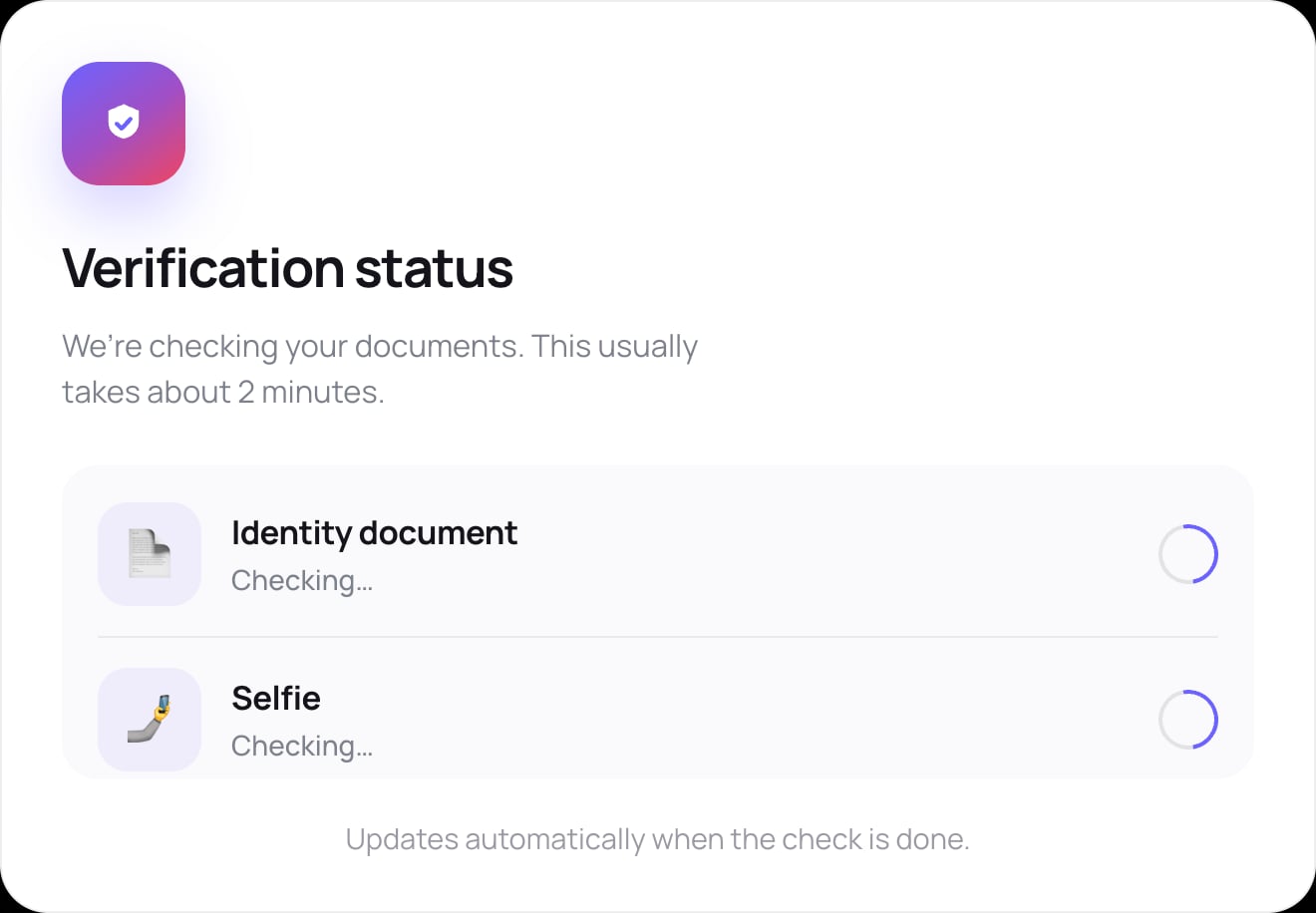
Open Quppy, choose the crypto services available for your country and provide the identity and eligibility information required by the applicable provider.
Receive or exchange
Receive a supported asset from an external wallet, use an available EUR or GBP balance to access crypto, or exchange one supported crypto-asset for another.
Review, confirm and track
Check the asset, network, destination, exchange details and any applicable costs before approving the operation, then track its status through Quppy.
Custody and security
Custody, security and support when you need it
A custodial wallet model
Quppy Crypto uses a custodial wallet model. Supported digital assets are held and administered by the applicable crypto-service provider for your country. You manage balances and initiate deposits, withdrawals and exchanges through the Quppy interface.
Quppy Crypto is not presented as a self-custody wallet. Account access and recovery are handled through Quppy’s account-security and support processes.
Security controls
Quppy combines account-access and transaction-confirmation controls to help protect your custodial crypto experience.
- PIN protection — protect access to the app and sensitive account functions.
- Biometric login — use supported device biometrics where available.
- Two-factor authentication — add a second authentication factor.
- Transaction confirmation — review and confirm transfers and exchanges.
- New-device confirmation — confirm access from a new device.
No security control can eliminate every risk. Keep your credentials secure, review transaction details and contact Quppy Support if you notice unauthorised activity.
Recover access through Quppy Support
If you lose access to your account or device, contact Quppy Support. Recovery is handled through a support-led security and identity-verification process. Quppy may request additional information and temporarily restrict sensitive operations while the request is reviewed.
Regulated crypto services in Europe
MiCA-authorised crypto services for eligible EEA users
Applicable custody, crypto exchange and crypto-transfer services available through Quppy in the EEA are provided by Payhound Limited, a Malta-based Crypto-Asset Service Provider authorised under MiCA by the Malta Financial Services Authority.
Quppy provides the connected technology and user experience. Payhound Limited provides the regulated crypto services within its authorised scope.
Payhound Limited
Authorised scope
Payhound Limited’s published authorisation includes transfer services for crypto-assets on behalf of clients, execution of orders for crypto-assets, custody and administration of crypto-assets, exchange of crypto-assets for funds and exchange of crypto-assets for other crypto-assets.
Services outside the EEA
Outside the EEA, Quppy works with the applicable licensed or registered crypto-service provider available for the user’s jurisdiction. The provider’s legal name, regulatory status, role, supported services and terms are shown before crypto services are activated.
Your crypto-service provider may differ by country. Check your country page and the service terms displayed during activation.
Quppy is not the holder of Payhound Limited’s MiCA authorisation. Availability depends on country, customer eligibility, supported assets and the applicable service configuration.
Know what is available before you transact
Check availability by country
See the current wallet, asset, network, exchange and provider status for your country.
Check crypto risk
Use AML Quppy Bot to assess potential risk signals associated with a supported wallet address or blockchain transaction before sending or accepting crypto.
An AML check is a risk assessment. It does not guarantee that an address, transaction or asset is safe, lawful or risk-free.
Understand the risks
Crypto-assets can be volatile and may lose part or all of their value. Blockchain transactions cannot normally be reversed, stablecoins are not risk-free and transactions may require security or compliance review. Quppy does not provide investment, legal or tax advice.
Quppy Crypto service facts
- Wallet type
- Custodial
- Hold supported crypto
- Available
- Receive from external wallets
- Available
- Send to external wallets
- Available
- Crypto-to-crypto exchange
- Available for supported pairs
- Fiat-to-crypto and crypto-to-fiat
- Available for supported EUR and GBP pairs
- Supported fiat transfers after conversion
- No Quppy transfer fee through Quppy Personal; other costs are separate
- Current assets
- BTC, ETH, TRX, USDC and USDT where available
- USDT in the EEA
- Unavailable
- Solana
- Coming soon
- EEA provider
- Payhound Limited
- Last reviewed
Service availability depends on country, verification status, provider configuration, asset, network and transaction type.
Quppy Crypto FAQ
Quppy Crypto
Bring crypto and everyday money together with Quppy
Receive, hold, send and exchange supported digital assets, connect with EUR and GBP and manage the journey through one Quppy experience.
Crypto services are subject to eligibility, country availability, provider terms and regulatory requirements. Crypto-assets involve risk and may lose value.